
Bus Route Navigator

Driver-focused navigation using official GTFS data — like car navigation, but with route-specific mapping, turn-by-turn directions and next-stop guidance for bus drivers.

Tap image to enlarge

What it does

Bus Route Navigator presents bus routes as a moving map-to-route. It highlights the route path, all stops and the distance between stops, so drivers can confidently run unfamiliar trips, cover work at short notice and avoid off-route driving.
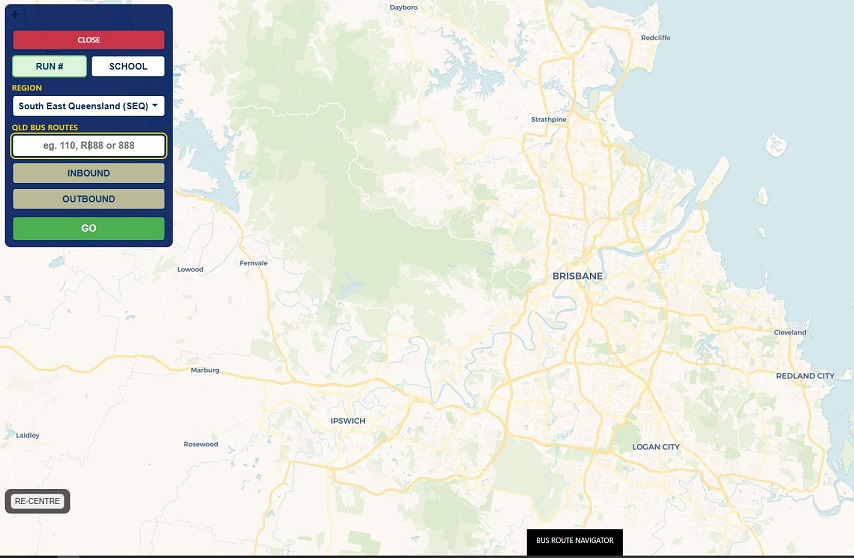
Turn-by-turn guidance

  • Turn-by-turn directions along the official bus route path
  • Exact stop locations and next-stop alerts
  • Full route path displayed on the live map
  • Distance to the next stop
  • Clear inbound / outbound direction and destination

Fewer calls to bus control

  • Drivers see the intended path and all stops at a glance
  • Less radio traffic when covering unfamiliar work
  • Lower workload for NCC / bus control staff
  • Helps keep the network moving in peak times
  • On-the-fly diversions to in-service buses (in development)

Prevents off-route driving

  • Always shows the correct path and upcoming stops
  • Minimises wrong turns and dead-end streets
  • Reduces unnecessary detours on cover trips
  • Gives every driver the confidence of a regular on that route

Screens and connectivity

  • Requires internet via Wi-Fi or SIM
  • Runs in a standard web browser — no special app install required
  • Works on handheld units such as the ALGIZ 8X
  • Any 8" or larger screen with a browser will run the Navigator in real time
  • Turn the device to landscape to view the screen correctly

Routes and data

  • Built on official GTFS schedule data
  • Works with Translink Queensland routes from Cairns to the Gold Coast
  • Includes school / district routes for Transport for Brisbane
  • GTFS data updated regularly for accurate route paths
  • Designed to evolve with closer GPS integration and route variations

Support for all driver types

  • Casual and part-time drivers
  • New starters and returning drivers
  • Drivers covering breaks or single trips (waiting-time drivers)
  • Drivers rostered onto unfamiliar routes or variations
  • Cover trips assigned with less risk; unplanned absences easier to manage

More information

Designed for drivers on the road and operators who need reliable cover on short notice. Pair it with the Live Fleet Operations Console for control-room visibility of the whole fleet.